
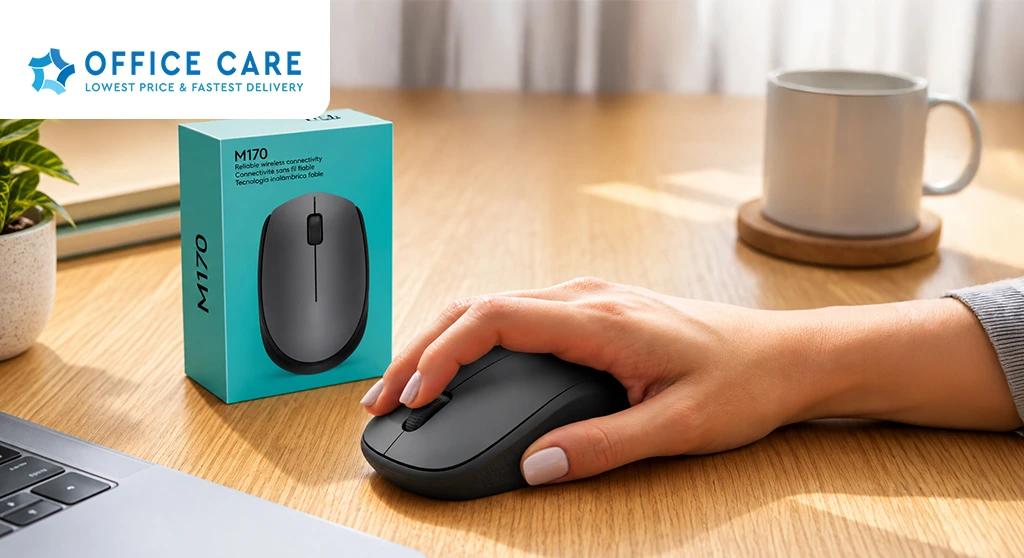
Choosing a Logitech wireless mouse from an Office Supplies Supplier in Saudi Arabia involves more than simply selecting a popular model. Businesses should consider compatibility, connectivity, ergonomic comfort, battery life, durability, warranty support, quantity requirements, and supplier reliability before placing an order. For offices in Riyadh, Jeddah, Dammam, Al Khobar, and other Saudi cities, purchasing through a dependable supplier can also make bulk procurement and recurring replacements easier.
Why a Wireless Mouse Is Important for Modern Offices
A mouse is one of the most frequently used computer accessories in an office. Employees use it for navigating documents, spreadsheets, presentations, design applications, browser-based systems, accounting software, and other business platforms.
A wireless mouse can help create a cleaner and more flexible workstation by reducing cable clutter. This can be particularly useful for businesses that use laptops, hot desks, meeting rooms, or flexible workstations.
For companies purchasing computer accessories for multiple employees, the right mouse should provide a balance of:
- Comfortable everyday use
- Reliable wireless connectivity
- Suitable tracking performance
- Good battery life
- Easy setup
- Device compatibility
- Durable construction
Why Consider Logitech Wireless Mice for Business Use?
Logitech offers a range of wireless mice designed for different usage requirements. Some models are focused on everyday office productivity, while others provide additional features for users who require more advanced functionality.
For businesses, the important consideration is not simply choosing a well-known brand. The selected model should match the employee’s actual work requirements.
For example:
- Administrative employees may need a simple, reliable mouse.
- Accountants may benefit from comfortable long-duration use.
- Designers may require more precise tracking and additional controls.
- Managers who travel may prefer a compact wireless mouse.
- Employees using multiple devices may benefit from multi-device functionality.
This makes product selection more important than choosing the same model for every employee.
What Should Businesses Check Before Buying a Logitech Wireless Mouse?
When purchasing a Logitech wireless mouse through an Office Supplies Supplier in Saudi Arabia, businesses should review several factors.
1. Compatibility
Compatibility should always be checked before placing an order.
Businesses should verify:
- Laptop or desktop compatibility
- Operating system requirements
- USB receiver requirements
- Bluetooth compatibility where applicable
- Available USB ports
- Multi-device requirements
For larger organizations, checking compatibility before bulk purchasing can help avoid unnecessary replacements or returns.
2. Wireless Connectivity
Different wireless mice can use different connection methods.
Depending on the model, connectivity may include:
- USB wireless receiver
- Bluetooth
- Multi-device wireless connectivity
Businesses should choose the connection method that works best with their existing computers and IT environment.
For example, an office with laptops that have limited USB ports may prefer Bluetooth-compatible models, while desktop workstations may easily accommodate a USB receiver.
3. Ergonomic Comfort
Employees can use a mouse for several hours every working day, making comfort an important consideration.
Businesses should consider:
- Mouse size
- Shape
- Grip style
- Button placement
- Hand size
- Weight
- Intended duration of use
A mouse that feels comfortable during short use may not necessarily be suitable for employees who spend most of their working day at a computer.
4. Battery Life
Battery life can affect the convenience of wireless peripherals.
A mouse that requires frequent battery replacement can create unnecessary interruptions, particularly when many employees use the same type of device.
Before purchasing, businesses should check the manufacturer’s stated battery specifications and understand how the product is powered.
For bulk purchases, it is also useful to consider how batteries will be managed and replaced across multiple workstations.
5. Tracking and Sensor Performance
For regular office tasks, accurate tracking helps employees navigate screens smoothly.
Different users may have different requirements. Basic administrative work may not require advanced tracking features, while design, editing, or other precision-focused tasks may require more responsive movement.
The right choice should therefore depend on the employee’s workflow rather than simply selecting the most feature-rich option.
6. Durability
A business mouse may be used continuously throughout the working week.
For this reason, businesses should consider:
- Build quality
- Button durability
- Scroll wheel construction
- Wireless reliability
- Expected usage
- Manufacturer specifications
For bulk procurement, selecting durable products can help reduce the frequency of replacements and simplify IT management.
7. Warranty and Replacement Support
Warranty and after-sales support are particularly important when purchasing computer accessories for a business.
Before placing an order, ask the supplier about:
- Warranty coverage
- Defective product replacement
- Return conditions
- Damaged delivery procedures
- Business-order support
Clear policies can make it easier to manage faulty products without disrupting employees’ work.
Logitech Wireless Mouse for Different Office Users
Not every employee needs the same type of mouse.
Administrative Teams
Administrative employees generally require a reliable mouse for documents, spreadsheets, email, web applications, and routine office software.
A comfortable model with dependable connectivity may be sufficient for these users.
Finance and Accounting Teams
Finance employees often spend extended periods working with spreadsheets and financial software.
Comfort, precise tracking, and reliable scrolling can therefore be useful considerations.
Creative Teams
Graphic designers, video editors, and other creative professionals may require more precise cursor control and additional functionality.
Their requirements should be assessed separately from standard administrative users.
Sales and Management Teams
Sales professionals and managers who frequently move between meeting rooms, offices, and client locations may benefit from compact and portable wireless mice.
Hybrid and Remote Teams
Employees who work between home and office environments may value lightweight wireless accessories that are easy to carry and configure.
How Businesses Can Buy Logitech Wireless Mice in Bulk
Businesses ordering multiple Logitech wireless mice should avoid purchasing based only on the number of employees.
A more structured approach is useful.
Step 1: Identify the Number of Workstations
Determine how many active workstations require a mouse.
Step 2: Review Existing Accessories
Check which mice are working properly and which need replacement.
Step 3: Group Employees by Usage
Separate standard office users from employees with specialized requirements.
Step 4: Check Compatibility
Verify operating systems, connection methods, USB availability, and other relevant specifications.
Step 5: Compare Suitable Models
Compare comfort, connectivity, battery life, durability, features, and price.
Step 6: Confirm Supplier Availability
Make sure the selected model is available in the required quantity.
Step 7: Ask About Business Pricing
For larger orders, request a quotation based on the required quantity rather than purchasing individual units separately.
This process can make bulk procurement more organized and reduce the possibility of ordering unsuitable products.
Why Buy From an Office Supplies Supplier in Saudi Arabia?
Purchasing computer accessories through an established Office Supplies Supplier in Saudi Arabia can simplify procurement when a business needs multiple workplace products.
Instead of managing separate vendors for stationery, computer accessories, office equipment, and other workplace requirements, businesses may prefer suppliers with a broader product range.
A suitable supplier can help businesses with:
- Product availability
- Bulk procurement
- Business quotations
- Recurring orders
- Delivery
- Product support
- Multiple office product categories
This can be particularly useful for businesses expanding their teams or setting up new offices.
Businesses looking for a broader selection of technology products can also refer to this guide to Computer Accessories Suppliers in Saudi Arabia for additional purchasing considerations.
Logitech Wireless Mouse vs. Wired Mouse for Offices
Both wireless and wired mice have practical applications in business environments.
| Factor | Wireless Mouse | Wired Mouse |
|---|---|---|
| Cable management | Minimal cable clutter | Requires cable |
| Portability | Easy to move | Less convenient to move |
| Setup | Simple wireless connection | Plug-and-play |
| Battery | May require charging or batteries | No battery required |
| Flexibility | High | Limited by cable length |
| Meeting rooms | Convenient | Less flexible |
| Fixed workstations | Suitable | Suitable |
The right choice depends on the business environment and employee requirements.
Wireless models can be particularly useful when clean workstations, mobility, and flexible desk arrangements are important.
What Are the Best Office Computer Supplies to Buy With a Wireless Mouse?
A mouse is only one part of a complete computer workstation.
Depending on the employee’s role, businesses may also need:
- Keyboards
- Mouse pads
- Monitors
- USB hubs
- HDMI cables
- Display adapters
- Webcams
- Headsets
- Laptop stands
- External storage
- Power and charging accessories
Businesses can review Best Office Computer Supplies for Business Workplaces to understand other computer accessories that may be useful when setting up or upgrading office workstations.
Common Mistakes When Buying Wireless Mice for Businesses
Choosing Only by Price
The cheapest mouse may not always provide the durability or comfort required for continuous office use.
Ignoring Compatibility
A wireless mouse may not work as expected if the connection method or device compatibility is not checked beforehand.
Buying One Model for Everyone
Employees have different workflows. A standard mouse may be suitable for administrative work but not necessarily for creative or specialized roles.
Ignoring Battery Requirements
Businesses should consider how batteries or charging will be managed across multiple workstations.
Not Checking Warranty Support
For larger purchases, clear replacement and warranty policies can make a significant difference.
Ordering Without Checking Stock
If a business needs dozens of identical mice, product availability should be confirmed before placing the order.
How to Choose the Right Logitech Wireless Mouse Supplier
When comparing suppliers, businesses should look beyond the product itself.
A reliable supplier should provide:
- Genuine and suitable products
- Clear product specifications
- Consistent availability
- Competitive business pricing
- Bulk-order support
- Reliable delivery
- Warranty or replacement information
- Responsive customer service
The supplier’s ability to support future purchases is also important. If a business plans to standardize accessories across departments, consistent availability can make future replacements easier.
Frequently Asked Questions
Is a Logitech wireless mouse suitable for office use?
Yes, a Logitech wireless mouse can be suitable for everyday office tasks when the selected model matches the employee’s computer, connectivity requirements, comfort preferences, and workflow.
What should I check before buying a Logitech wireless mouse?
Check compatibility, connectivity, ergonomic design, battery life, tracking performance, durability, warranty, and supplier availability before purchasing.
Can businesses buy Logitech wireless mice in bulk?
Yes. Businesses can purchase wireless mice in larger quantities for employee workstations, office expansions, replacements, or new branches. For bulk orders, it is useful to request a business quotation and confirm stock availability.
Should businesses choose Bluetooth or USB wireless mice?
The choice depends on the available devices and workplace requirements. Businesses should check whether employees have suitable Bluetooth connectivity or available USB ports before selecting a model.
What other computer accessories should businesses buy with a wireless mouse?
Common complementary products include keyboards, mouse pads, monitors, USB hubs, cables, adapters, webcams, headsets, and laptop stands.
How can businesses find a reliable Office Supplies Supplier in Saudi Arabia?
Businesses should compare product quality, availability, pricing, bulk-order support, delivery, warranty policies, customer service, and the supplier’s ability to meet recurring procurement requirements.
Why Choose Office Care Trading Est. for Computer Accessories?
Office Care Trading Est. provides businesses in Saudi Arabia with a broad range of workplace products, including computer accessories, office supplies, stationery, furniture, and other business essentials.
For companies purchasing Logitech wireless mice and other computer peripherals, working with a supplier that can support multiple office requirements can simplify procurement and reduce the need to coordinate with several vendors.
Whether a business is setting up a new workstation, replacing existing peripherals, expanding its team, or managing recurring office procurement, Office Care Trading Est. can provide practical workplace purchasing solutions for businesses across Saudi Arabia.
Choosing a Logitech wireless mouse for business use should involve more than comparing prices. Businesses should evaluate compatibility, wireless connectivity, comfort, battery life, tracking performance, durability, warranty support, and supplier reliability.
By purchasing through a dependable Office Supplies Supplier in Saudi Arabia, businesses can simplify bulk procurement and maintain consistent computer accessories across their workstations. The right wireless mouse, combined with other Best Office Computer Supplies, can contribute to a more organized, comfortable, and efficient digital workplace.